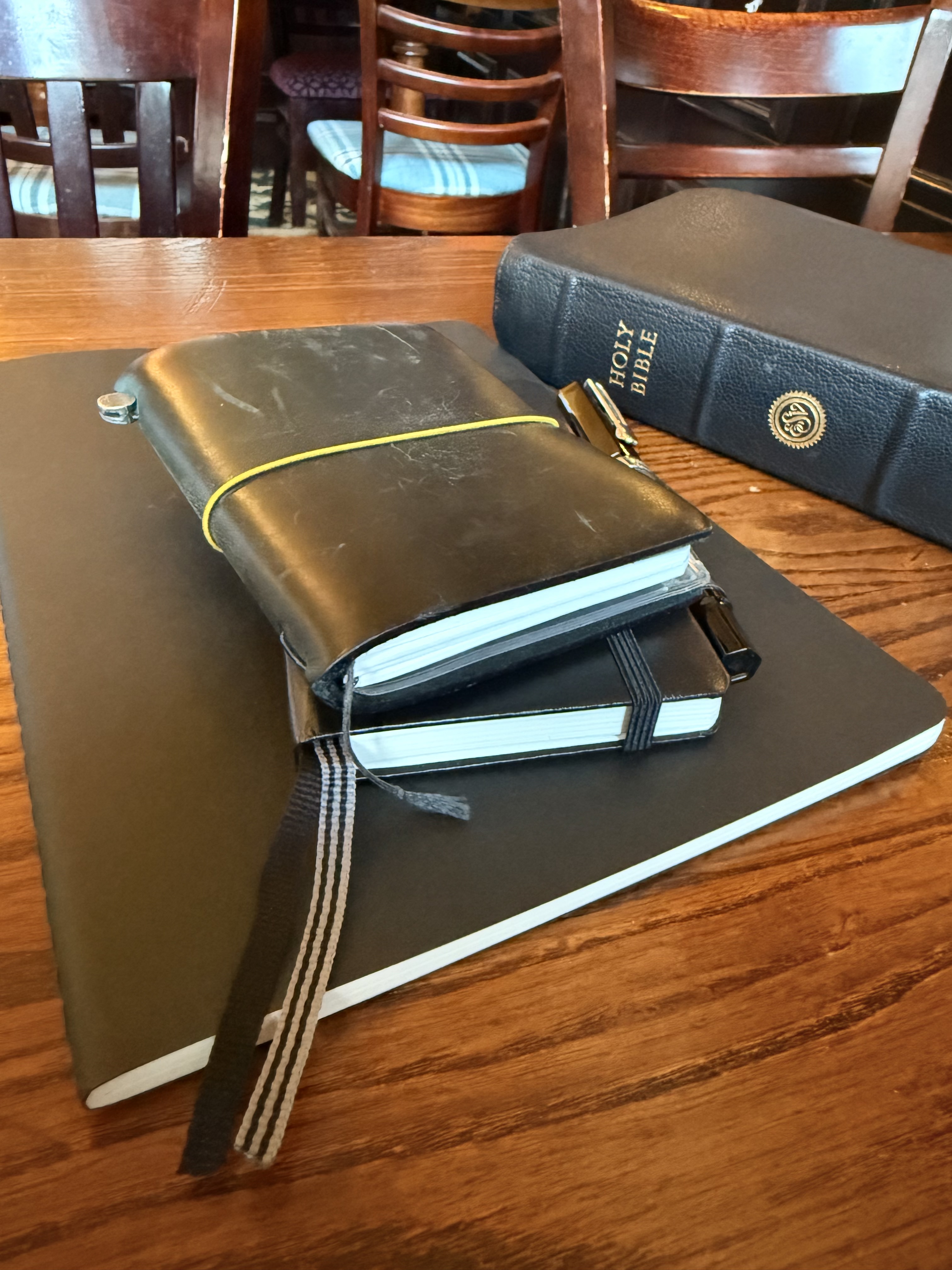
I shared in a note previously that I had figured out my notebook system for the new year. Those who know me in person know that I am a notebook person. All of my sermon prep happens on paper before I type. I’ve been keeping journals for years.
But I also, always, struggle to be settled with my tools. Planner season is a real thing (it runs from October through December) and it is a real struggle. There are so many journal systems that a person can use.
But I think I’ve settled on my system. I share this because it might be useful to you in figuring out how to keep track of your own devotional life. For me, this is how all of my working and thinking gets done. If it isn’t on paper, then it’s probably lost.
The System
The main system consists of three different notebooks. Some may think that’s overkill but it’s as paired down as I can get it for now. I have a Scripture memory/prayer book, a journal, and a sermon book.

Scripture Memory and Prayer

One of my goals this year is to memorise Philippians. It’s a short book so it’s doable, but I also wanted to have it with me at all times.

To make that happen, I managed to find an old resource from over a decade ago: Timmy Brister’s Memory Moleskine. Once I had printed and cut out each of the pages, I found that they just fit into my passport-sized Traveler’s Notebook. Now, when I am out and about or just at home, I have a copy of Philippians which is divided up into sections for memorising so I can practice any time.
To make it even more useful, I added an extra notebook insert where I am collecting short prayers and Scriptures to help me pray more.
The Journal

This notebook is an A6, or pocket-sized, Leuchtturm1917 with a dot-grid. This is where I am copying out my Bible reading plan, keeping track of my thoughts from quiet times, writing out memories, etc. Basically, it’s a journal. It’s where ideas start and where they get recorded.
The Sermon Book

I must say that I am not a technophobe. I am truly against the use of generative AI because it is anti-human, unethical to the core, and has only served to make people think that are accomplishing things when they have actually done nothing.
But I am not a technophobe. I make a use of a lot of digital tools. I even make use of the AI-enabled search in Logos Bible Software because it’s basically the perfect concordance. Very often, I know what a verse says but I can’t remember where it is. It helps me to work more efficiently. But it’s one of the last steps in the sermon-writing process.
The first step is slow, inefficient, and can be painful if the passage is especially long.
I write out my passage, longhand, in pencil in my sermon notebook. That’s where all of my notes and thoughts go. I copy out quotes from commentaries, write out illustrations, outlines, what and why sentences, think through applications… This notebook is where the work happens. I used a Stalogy notebook last year and managed to fit 30 sermons inside it. This year, though, I am using Moleskine Cahier XL notebooks because they’ve added a dot-grid.
I’ve already done my first sermon of the year in it and having the extra breathing room on a page is really helpful.
Two constants that are not pictured here:
- My Bible, which is an ESV Preaching Bible in black goatskin. It’s a beast but it has wide margins, good paper, and a font that I can easily read from a glance. I’m into my second year with it and still love it. Each day it gets a bit more useful as I make notes in it.
- My miscellanies notebook. This is a black, A5 Leuchtturm1917 hardcover. This is where extended notes end up so that I can save space in my Bible. As of this writing, the most recent note is a basic Bible chronology so that I can keep track of when in history various events happened and people lived.
What about you?
And so that is the system. It’s the result of year of working to figure things out. But what are you using this year? Are you into analogue tools or digital?